|
|
|


|
|
|
After performing a search, you can save the SQL coding to a file and then use it with other database utilities, or you can view the file with the option to print it.
To Save/Print the SQL Code:
|
1. |
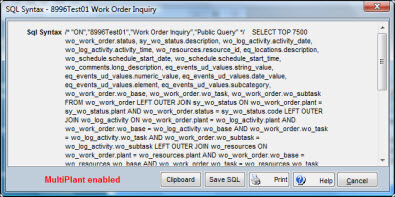
From the search window, with query results displayed, press and hold the CTRL and SHIFT keys while clicking the right mouse button. The SQL Syntax window displays.
|
|
2. |
To print the selection criteria, click the Print button. |
|
3. |
Click the Save SQL button. The Select File to Save window displays. |
|
4. |
Enter a file name. |
|
5. |
Click OK. |